 Red Flag
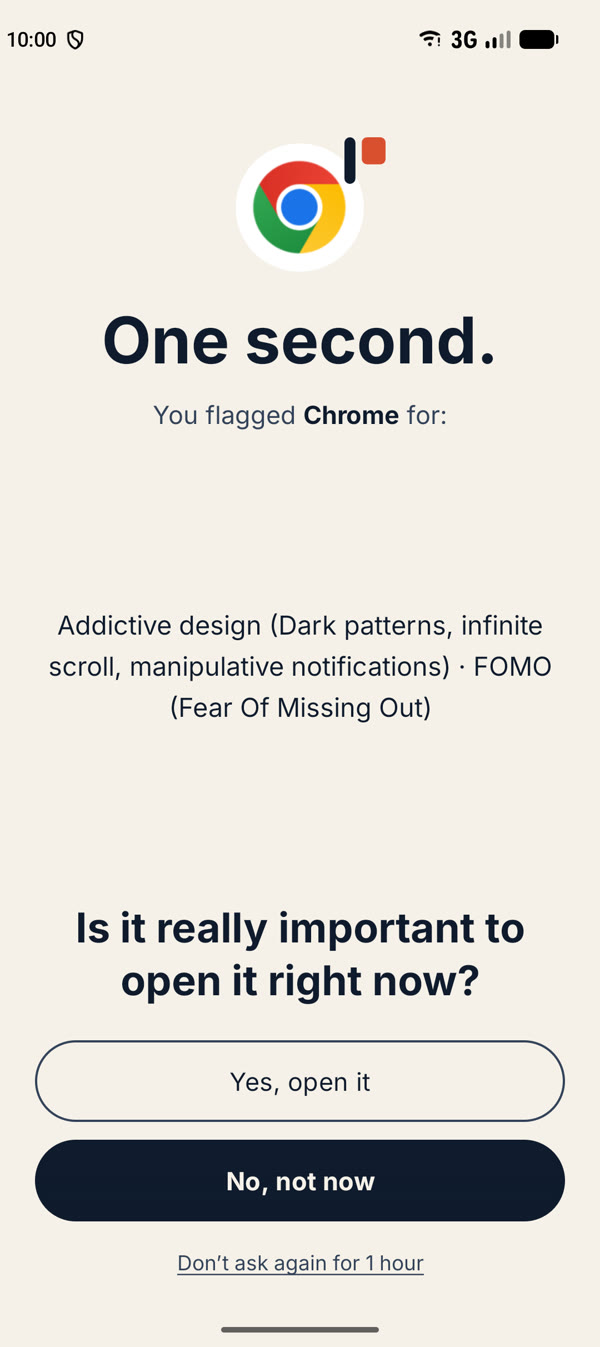
One second.
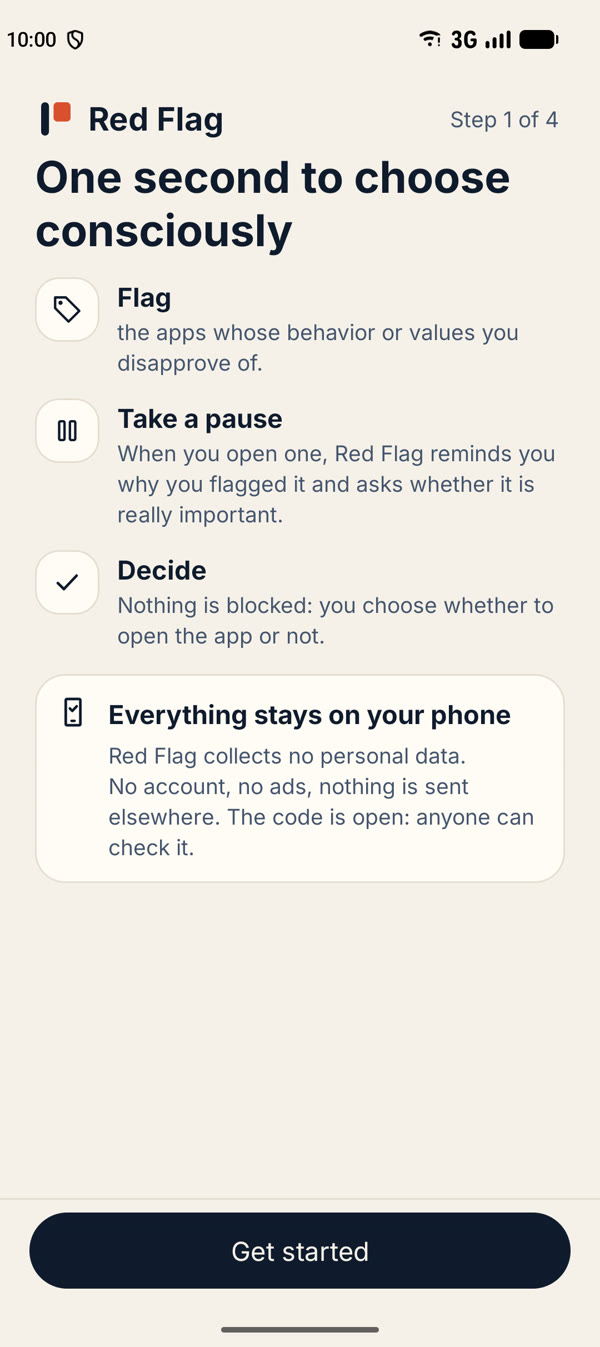
It’s the time it takes to ask yourself the question before opening an app out of reflex. No ban, no judgment: just a moment to decide whether you really want to open them.
Your apps, your values
Some apps sell your data, keep you captive, or rely on questionable working conditions. You choose which issues matter to you and which apps raise them. Each time you open one of those apps, a short screen reminds you why — and lets you decide.
100% local
Everything stays on your phone.
No tracking
No account, no ads.
Free software
Published under the GPL v3 licence: anyone can read the code and check what the app does.
You decide
No list of “bad” apps, no verdict. You pick your issues and your apps.
Three steps
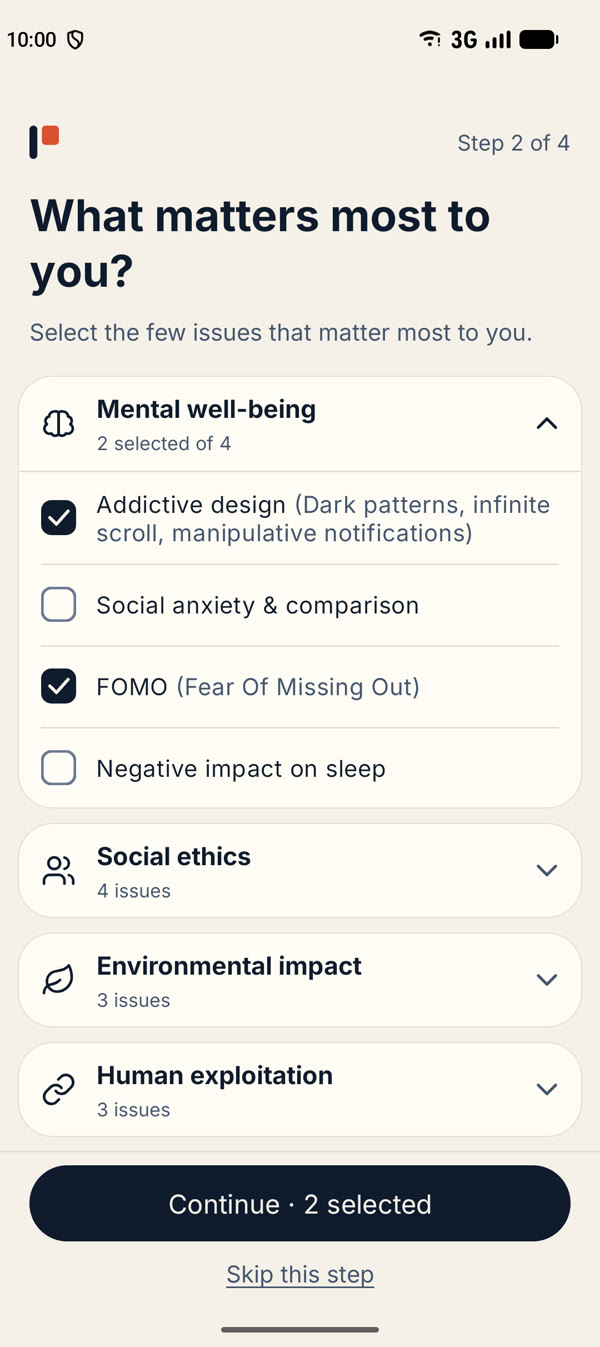
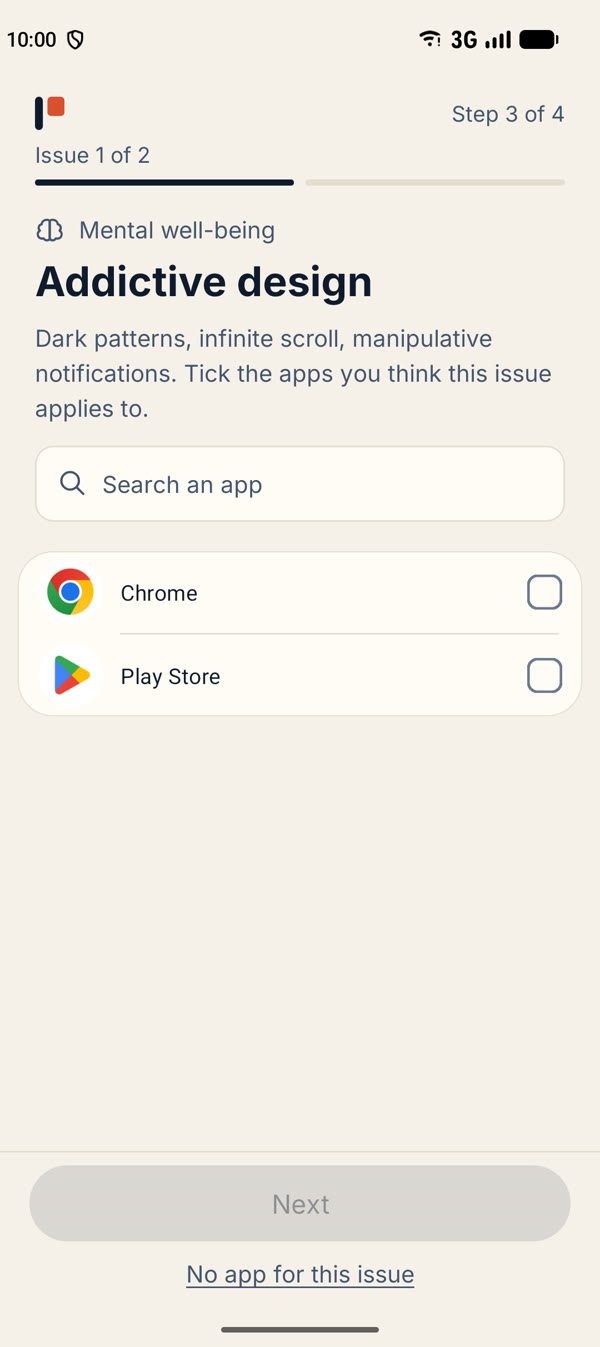
Choose the issues that matter to you
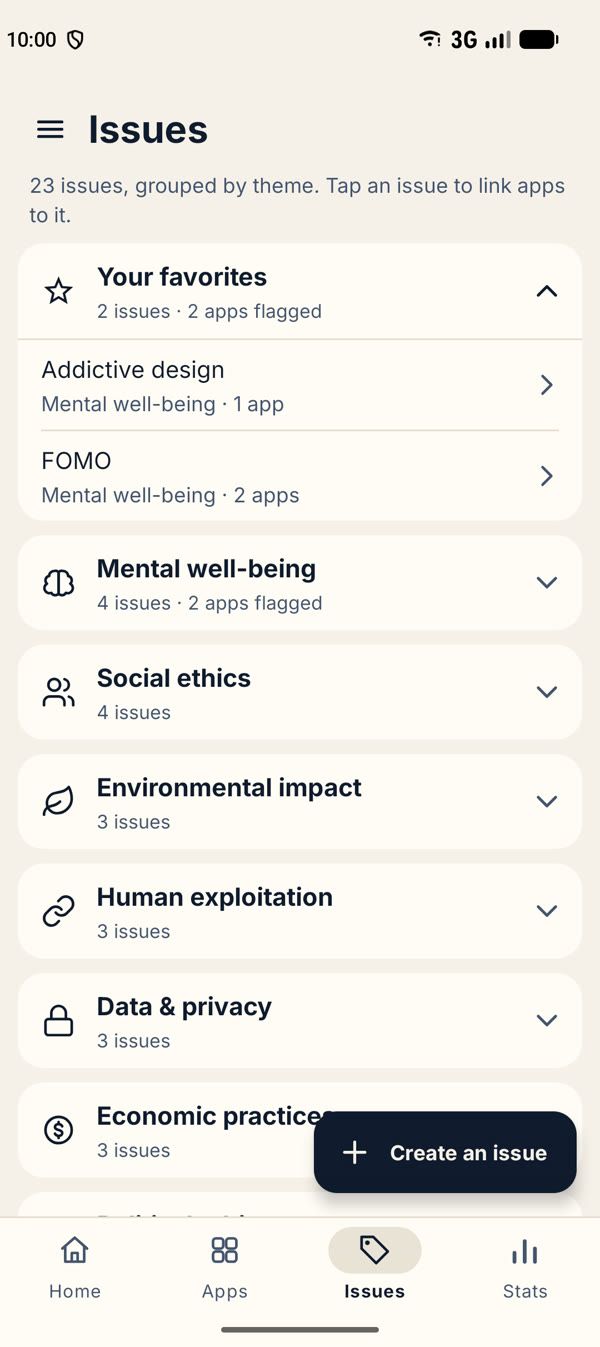
Pick from 23 ready-made issues in 7 themes — mental well-being, social ethics, environment, privacy, etc. — or add your own.
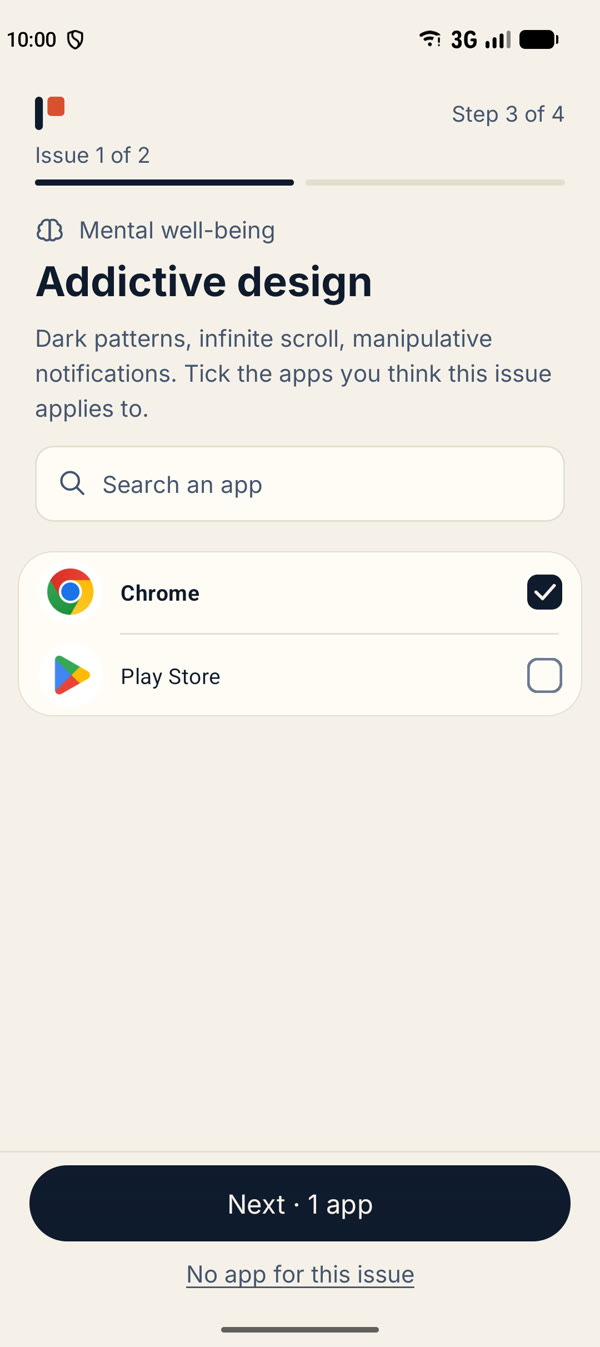
Flag your apps
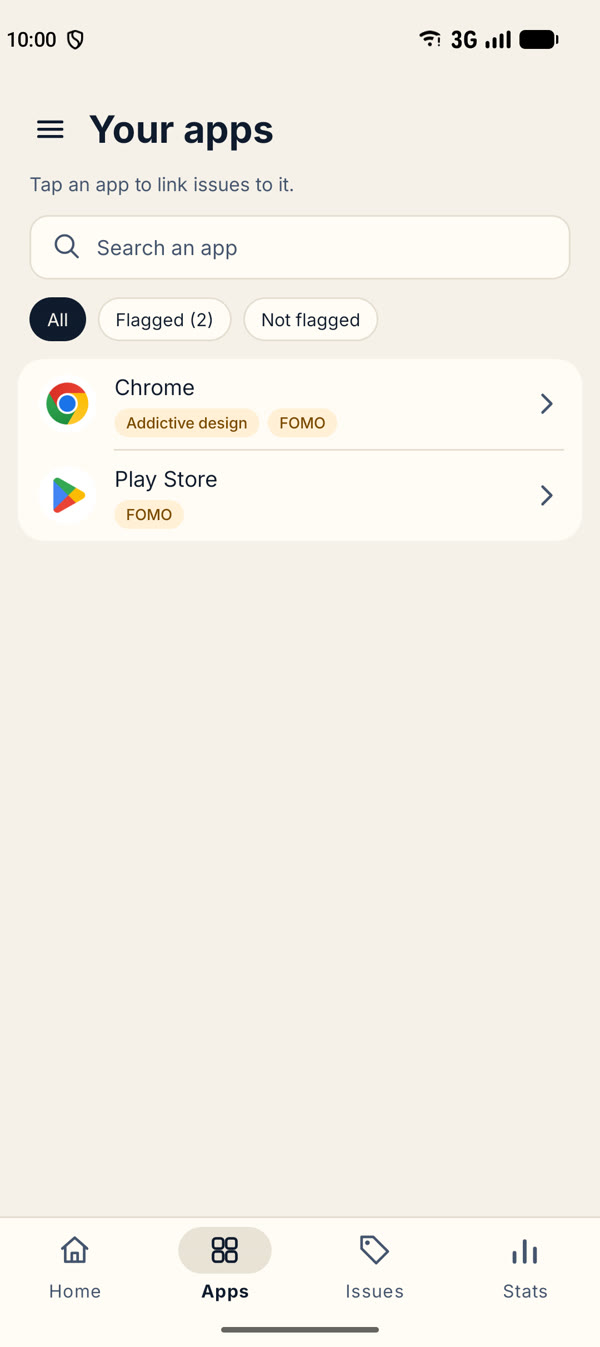
Pick an app from the list and tick the issues it raises.
Take a second before you open them
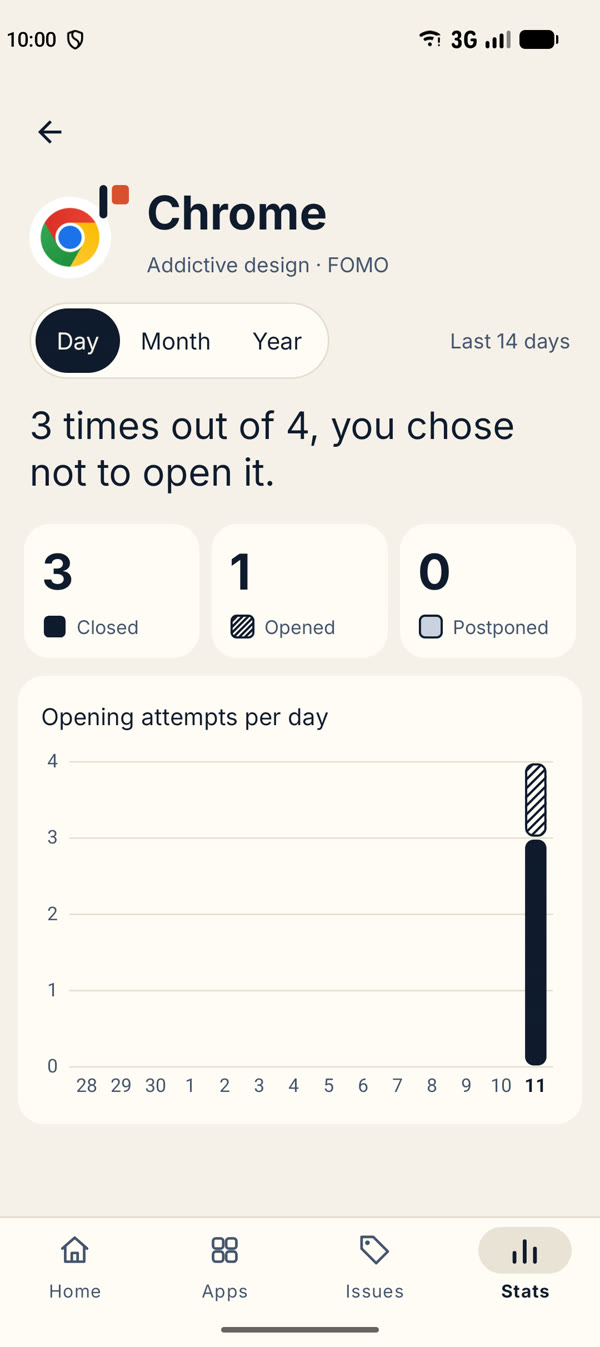
When you open a flagged app, a short screen reminds you of the issues you linked to it. You can close the app, open it anyway, or ask not to be asked again for a while.
A look inside
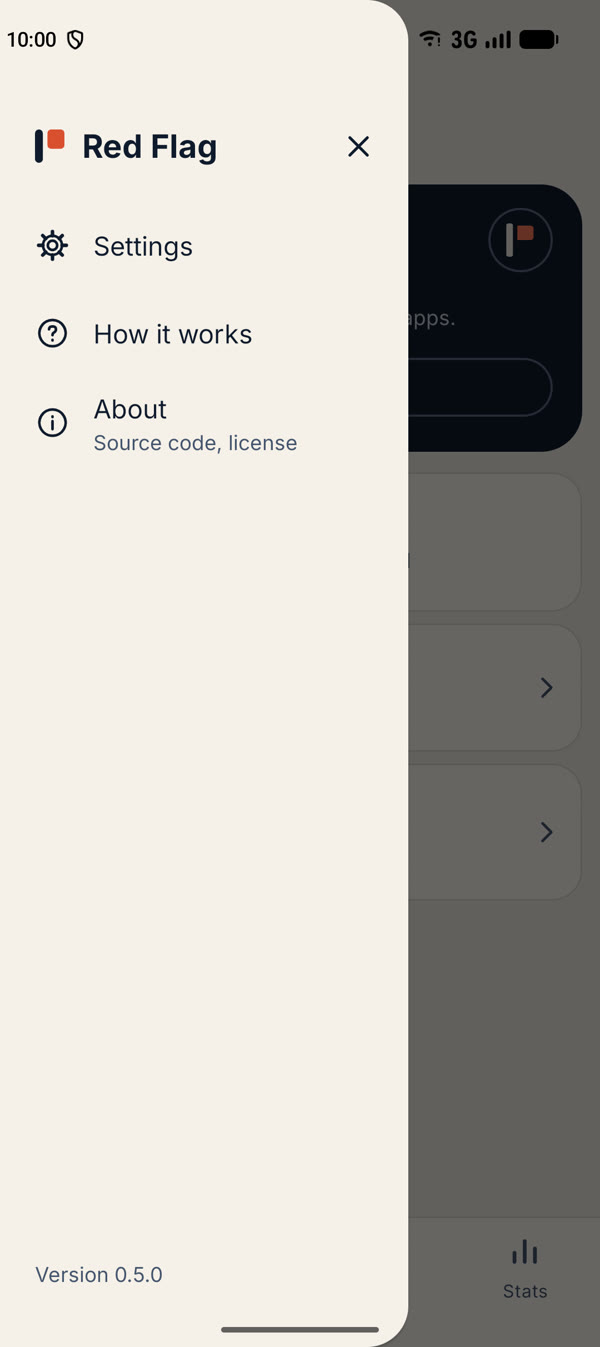
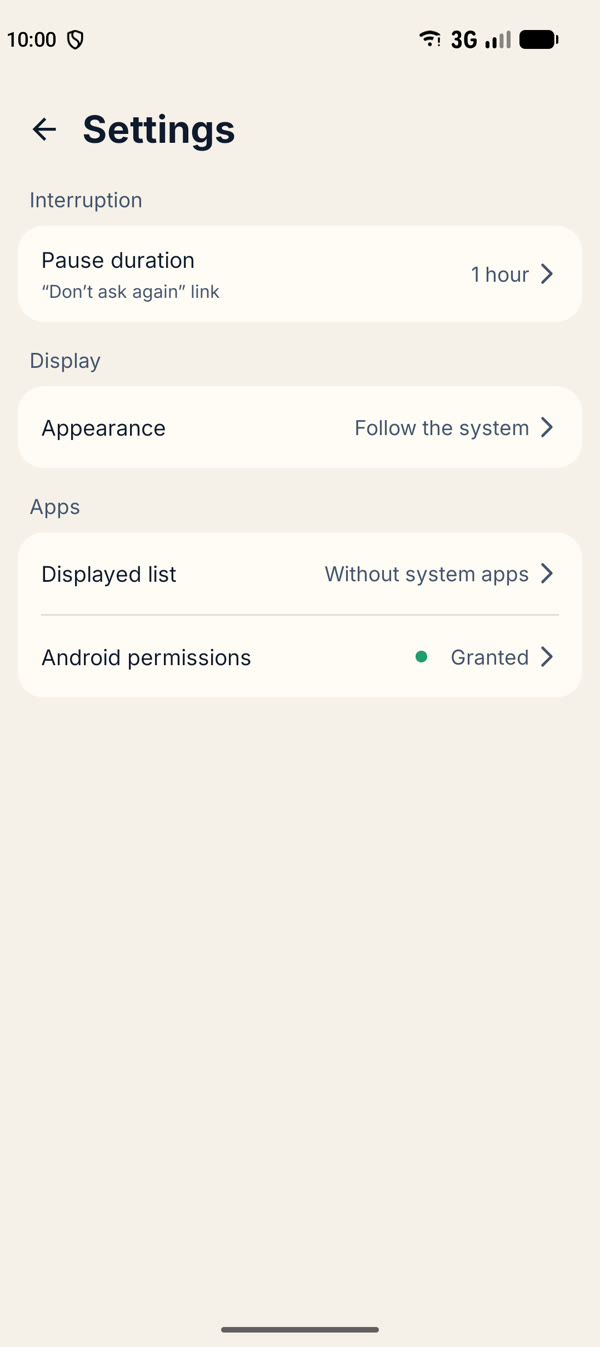
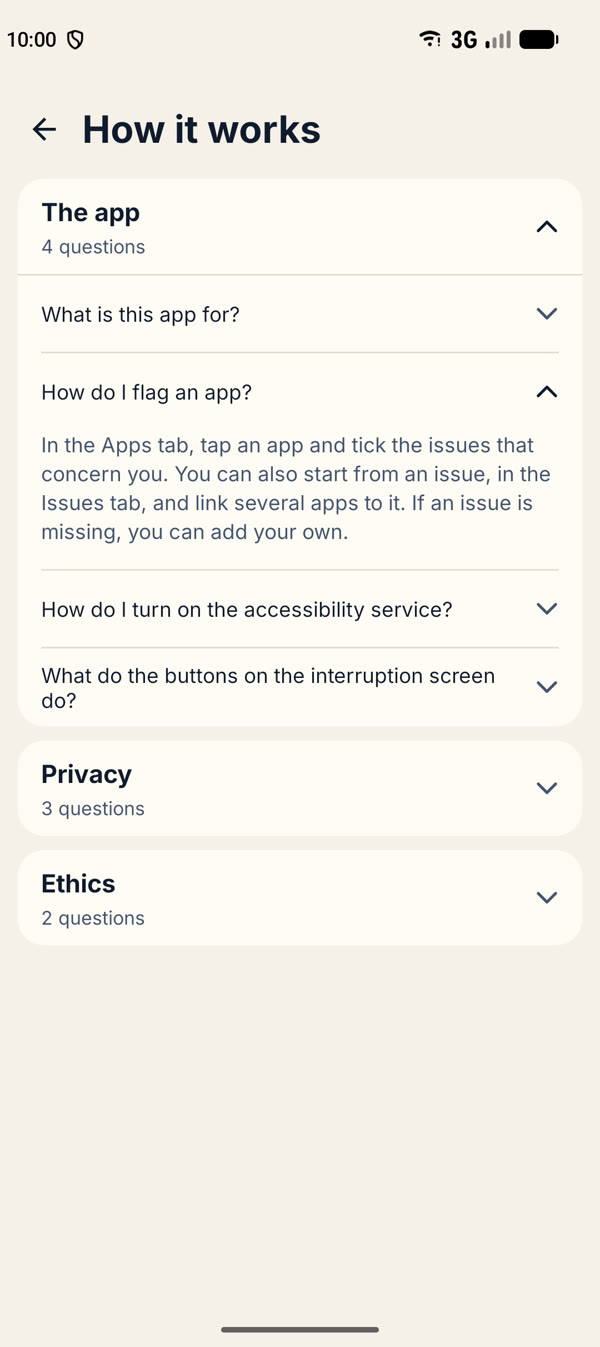
Frequently asked questions
The app4 questions
What is this app for?
When you open an app you flagged because of an ethical problem it causes (data resale, addictive design, exploitation of workers…), a short screen asks whether you really want to open it.
It forbids nothing: it only adds a moment of reflection, so that using the app is a choice rather than a reflex.
How do I flag an app?
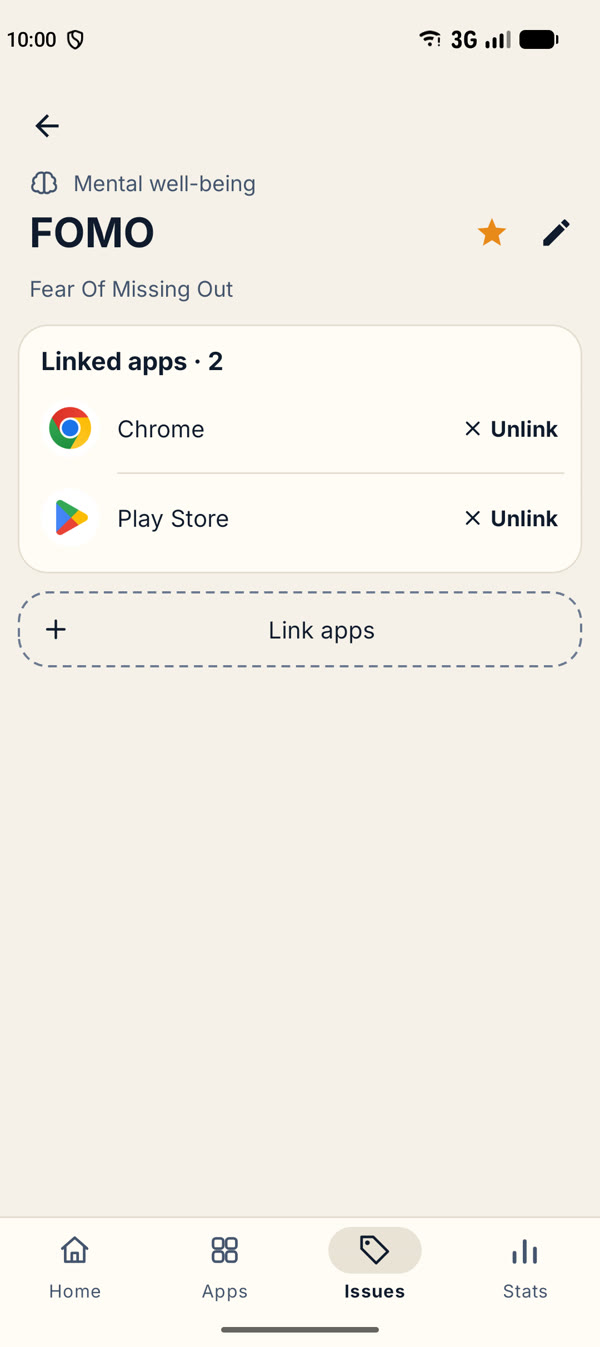
In the Apps tab, tap an app and tick the issues that concern you. You can also start from an issue, in the Issues tab, and link several apps to it. If an issue is missing, you can add your own.
How do I turn on the accessibility service?
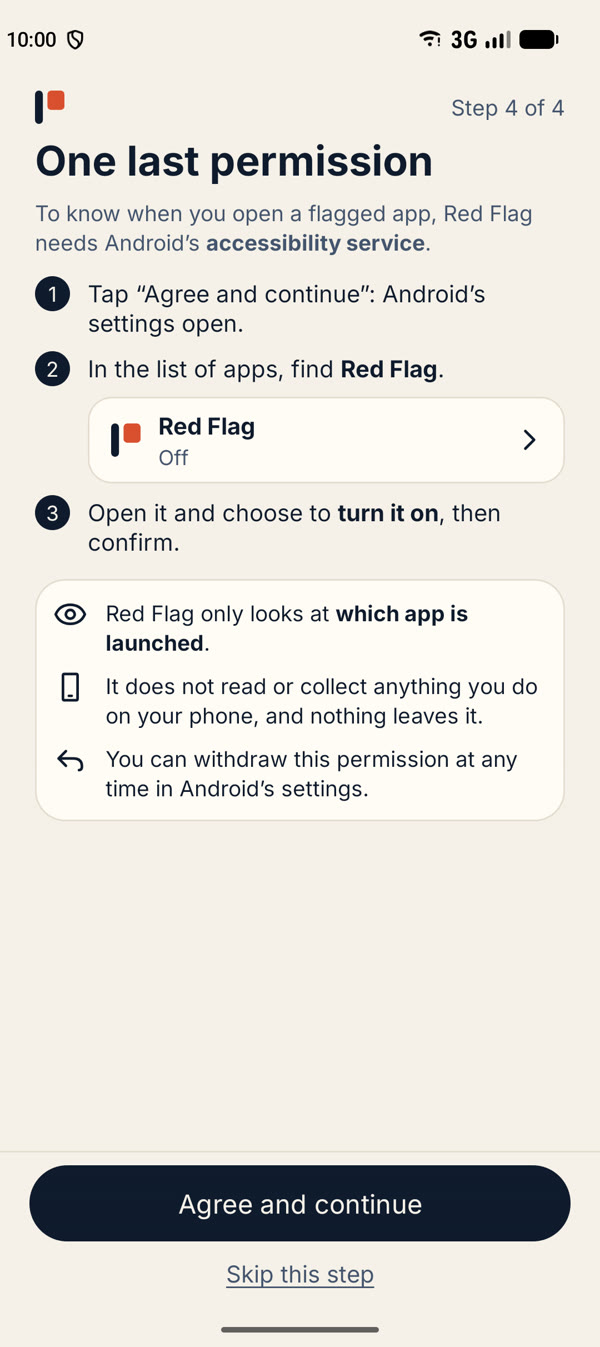
Red Flag only works once Android’s accessibility service is on. Only you can turn it on: the app cannot do it for you.
1. Tap “Agree and continue” on the last welcome screen, or tap “Turn on the accessibility service” on the Home tab (after a short explanation). Android’s accessibility settings open.
2. In the list of apps, find “Red Flag” (under “Downloaded apps” on most phones; on some, open “Installed apps” first).
3. Open it, turn on “Use Red Flag”, then confirm in the window Android shows.
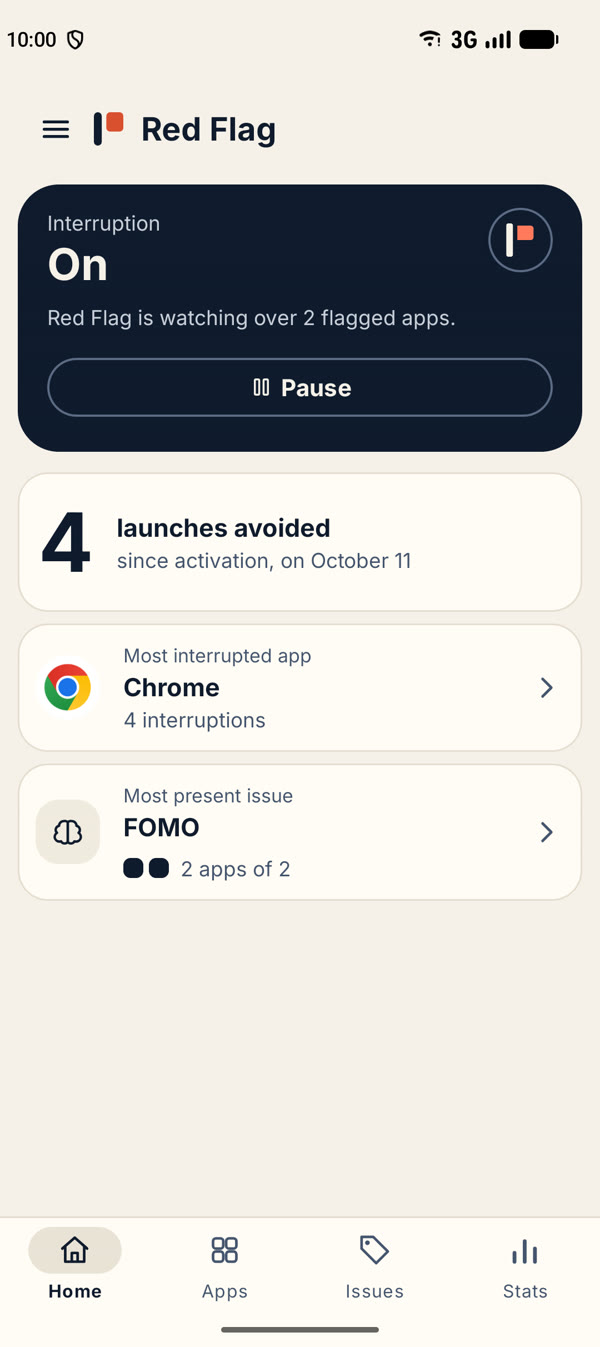
Go back to Red Flag: the Home tab shows “On” once the service is on. You can turn it off at any time in the same place.
If Android says the setting is restricted, or that access was denied, you installed the app from a file (APK) rather than from the Play Store. Open Android’s Settings, go to Apps, then Red Flag, tap the ⋮ menu at the top right and choose “Allow restricted settings”. Then start again from step 1.
What do the buttons on the interruption screen do?
“No, close the app” takes you back to the home screen.
“Yes, open the app” opens it, and you are not asked again for 15 minutes after you last used it, even if you close the app by mistake and reopen it. The choice is forgotten earlier if the screen turns off.
The “Don’t ask again for…” link pauses the interruption for that app, for the duration set in Settings.
Privacy3 questions
Where is my data stored?
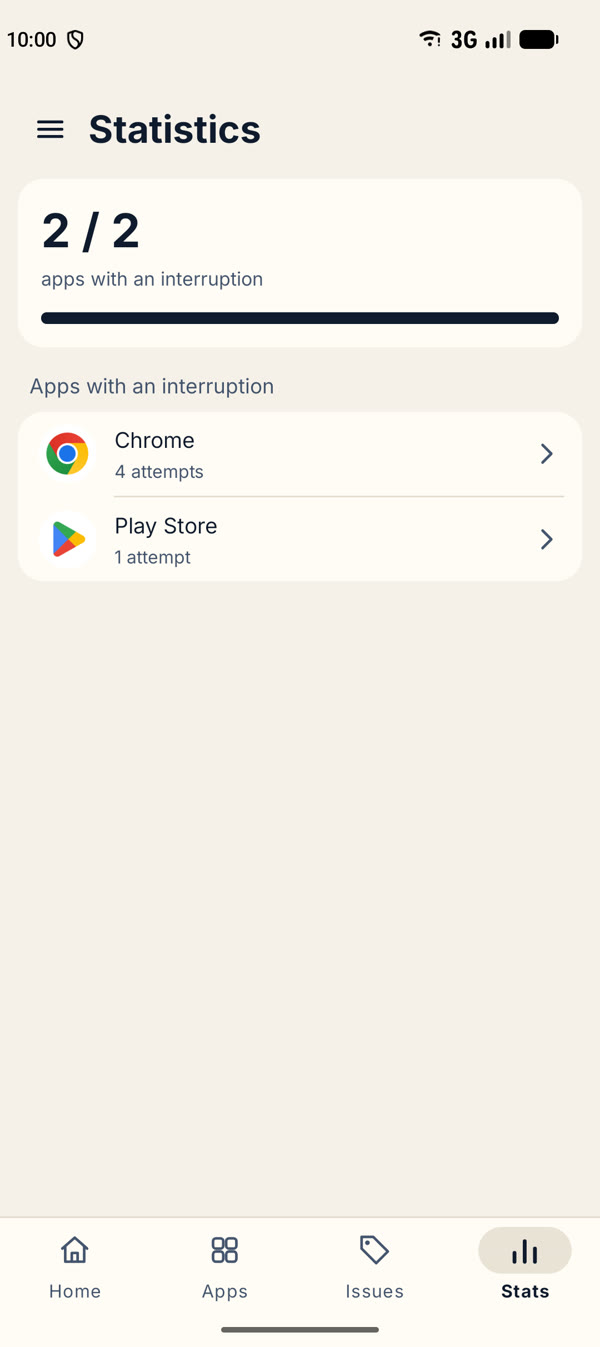
Everything stays on your phone: the apps you flagged, your issues, your settings and your statistics. Nothing is sent anywhere, and the app does not even request the Internet permission.
Why does the app need the accessibility service?
It is the only way Android lets an app know which app has just come to the front, so that the interruption can be shown at the right moment.
The service does not read what is on your screen or what you type: it only sees the name of the app that opens. You can turn it off at any time in Android’s settings.
How do I delete my data?
Uninstalling the app removes everything. You can also clear its storage from Android’s settings, in the app’s information page.
Ethics2 questions
Who decides which apps are problematic?
You do. The app gives no verdict and keeps no list of “bad” apps: you choose, among a list of issues or your own, the ones that matter to you.
Is this free software?
Yes. The app is published under the GPL v3 licence, with no advertising and no tracking.
Privacy policy
Short version: the app keeps everything on your phone and sends nothing anywhere.
What the app stores
On your phone only: the apps you flagged, your issues and favorites, your settings, and statistics about your own choices (how many times the pause appeared and what you answered). None of it is sent to us or to anyone else, and none of it is included in Android's cloud backups.
What the app does not do
- It has no Internet permission: it cannot send data over the network.
- It has no account, no analytics, no advertising and no third-party tracking.
- It does not read what is on your screen, what you type or your messages.
The accessibility service
To show the pause at the right moment, the app uses Android's accessibility service. It only detects the name of the app that comes to the foreground. It does not read the content of the screen, and the name is used only on your phone to decide whether to show the pause. You can turn the service off at any time in Android's settings.
Deleting your data
Uninstalling the app deletes everything. You can also clear its storage from Android's settings.
Contact
A question about this policy? Write to us from the contact form.
Last updated: October 2026.
Get the app
Red Flag is for Android 8.0 and later. It will be available on Google Play; until then, a closed test is under way: join the group to get access to the test version.
Closed testing in progress
Write to us
A question, a bug, an idea, a test version? Send us a message.
You can also write directly to example@email.com.